Jet Set Radio / Jet Grind Radio companion app
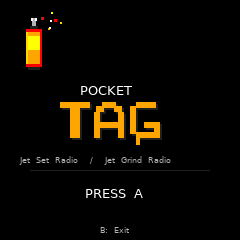
Pocket Tag
Draw a tag on VMU Pro. Export it to your Dreamcast VMU. Spray it across Jet Set Radio or Jet Grind Radio as downloaded graffiti.
Custom Graffiti
VMU Pro
JSR / JGR Support
From pocket to game
Pocket Tag creates standalone graffiti entries beside your game save. Your main save is left untouched.
- Build a tag with stamps or draw it pixel by pixel.
- Export the finished design to a Dreamcast VMU image.
- Open the game’s downloaded graffiti menu.
- Choose your tag and spray it in-game.
Make it yours
- Stamp editor — combine letters, symbols and Jet Set Radio-inspired icons.
- Pixel editor — draw freely with three brush sizes and an eraser.
- Eight colours — mix bold reds, blues, yellows, greens, pinks and more.
- Three tag sizes — create Small, Large or Extra Large graffiti.
- Tag gallery — save, edit, export and delete up to twelve designs.
Pick a mark
Start with letters and numbers, then add crowns, arrows, drips, bombs, spray cans, headphones, skates, turntables, flames and borders.