Where should I put my PSO save?
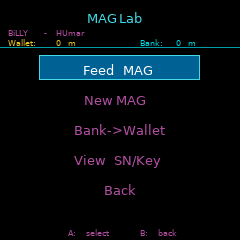
MAG Lab uses the GameID folders under /sdcard/Dreamcast/. The folder and {CODE}-1.vmu filename must match:
MK51193/MK51193-1.vmuUSMK5119350/MK5119350-1.vmuEUHDR0163/HDR0163-1.vmuJP
Which MAG features are supported?
MAG Lab supports first-, second- and third-stage evolutions, multiple saves and automatic backups. Evolution rules use the feeding character's class and Section ID.
Why use more than one save?
MAG evolution depends on the class and Section ID of the character feeding it. Choosing the right save lets you work towards class-dependent forms.
Why does MAG Lab need my serial and access key?
PSO save files are encrypted with the Dreamcast PSO serial and access key. MAG Lab uses them to decrypt the save, update the MAG data and encrypt the save again.
Which meseta does MAG Lab use?
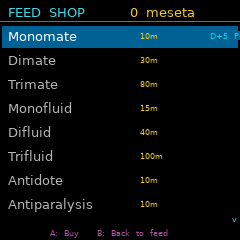
The MAG Lab built into PSO: Pocket uses meseta earned in PSO: Pocket. The standalone MAG Lab from the VMU Pro App Store instead uses banked meseta from the selected Dreamcast PSO character. In PSO: Pocket, each feeding window allows three items and has a 300-second cooldown.